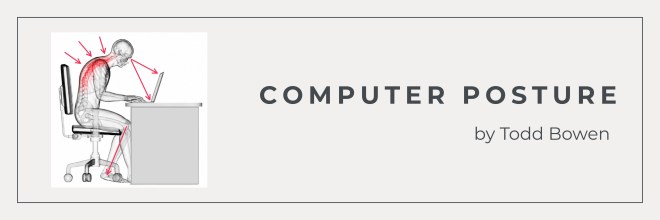
Working in an office typically means you’re sitting a lot. 8 hours a day. 40 hours a week. That kind of sitting stresses your back and your spine, and it leads to the pain and discomfort so many of us live with. As someone who sat at a computer with poor posture for 9 years, I know that pain personally. By 2011, my body was broken, physically and mentally.

That’s what got me so interested in computer posture in the first place. I’ve been blogging about my own journey since 2012, became a Certified Posture Specialist through The National Posture Institute (NPI-CPS), and have spent years researching and trying different office chairs along the way.
Trust me, your chair makes a difference. If you’ve been trying to figure out how to choose an ergonomic chair that you’ll actually enjoy, this guide is for you.
How to Choose an Ergonomic Chair: Features to Look For
I learned pretty quickly that you can’t judge an office chair by how comfortable it feels for five minutes. You have to think about how your back, hips, shoulders, and legs are going to feel a few hours later.
For me, that means looking at how much I can actually adjust. Can I get my feet flat on the floor? Does my backrest meet my lower back where I need it to? Can I move around instead of sitting in one locked position all day? Those are the details I pay attention to, and they’re what I recommend looking at before you choose a chair.
What Is an Ergonomic Chair?
An ergonomic chair is a seat designed to support your body while you sit, rather than forcing your body to adapt to the chair. That means supporting natural posture and taking some of the train off your body when you’re sitting for hours at a time. I actually dive deeper into this in my article, “What Are Ergonomics?” if you want the full breakdown.
Unlike a standard office chair, which is usually one-size-fits-all, a good ergonomic chair moves with you. The height, the back, the armrests, the tilt, it all adjusts. And when you’re spending most of your day in that chair, those little adjustments matter.
What to Look for in an Ergonomic Chair
Not every ergonomic chair is going to feel good after eight hours at a desk. Some features are worth paying extra attention to, especially if you’re finally ready to scoot that one-size-fits-all chair out of the way. Let’s start with adjustability.

Adjustability and Pneumatic Height
First, check the chair height. You should be able to sit down, reach for a lever, and easily adjust the seat up or down until your feet are flat on the floor. The lever controls the pneumatic adjustment underneath the chair. I know it sounds technical, but you’ve probably used it a million times.
Once you sit down, look at your knees. They should rest at about a 90-degree angle without your feet dangling or your legs feeling cramped. If the seat is too high or too low, your whole body starts compensating, probably without you even realizing. Make sure the height is easily adjustable to your desk and your body.
Lumbar and Back Support
Lumbar support is the support built into the lower part of the backrest, right where your spine curves inward. You don’t want a chair that forces that curve flat. You want one that actually fits into it.
When I sat all those years without proper lumbar support, my lower back paid the price. So I look for a chair backrest that either has adjustable lumbar support or a shape that follows the natural curve of the spine. Press your lower back against it and see how it feels. Is there a hard bar digging into you? An empty gap where the chair barely touches you? Neither is what I’d want to sit against for eight hours, and a good chair makes sure you don’t have to.
Seat Size and Depth
The seat of the chair needs to be the right size and depth. Depth is the distance from the back of the seat to the front edge. If the seat is too deep, the edge digs into the back of your knees. If it’s too shallow, your thighs hang off with no support.
Here’s an easy way to check: sit all the way back in the chair and see how much room you have behind your knees. I look for about two or three fingers of space. You shouldn’t feel the edge of the seat pressing into the backs of your legs.
Even better, look for a seat depth you can adjust. I especially like having that option if you’re taller or shorter than average, since the seat of the chair isn’t going to fit every body the same way.
Seat Padding and Material
You may not think padding matters until you’re sitting in a chair without it. You want something comfortable that supports you without going flat after a month. Too soft and you sink into it. Too firm and you’ll probably be shifting around trying to get comfortable.
Don’t forget about the chair covering. Look for something that’s breathable and easy to clean. Mesh backs are great for airflow, while a quality fabric or a wipeable material keeps upkeep pretty simple.
Adjustable Armrests
Armrests are one of the most underrated ergonomic features out there. You should be able to move the armrests until your arms feel comfortable and your shoulders can actually relax. If they’re sitting too high, you’ll notice your shoulders creeping up toward your ears. Too low, and they’re not doing much for you at all.
The right armrest position made such a difference for me, I wrote an entire guide on it titled “How to Adjust Office Chair Armrests.” One thing I learned along the way is that the standard office chair is actually too big for a lot of people, even me who’s 6’3” and 195 pounds. Look for armrests you can adjust up, down, and ideally in and out.
Seat Tilt and Recline
I’m sure you hear all the time how bad it is to sit in the same position for long periods. Yes, I’m here to agree with that. Your body is not meant to hold one pose for hours, which is why it’s so important to find a chair that lets you shift positions throughout the day.
A good tilt of the seat and ability to recline lets you lean back, take pressure off your spine, and move around between tasks without having to get up and lose focus. Some chairs let you lock the recline at set angles so you can settle into a position that works.

Extra Tips for Choosing the Right Chair
Now that I’ve given you a general guide, here are a few extra tips from my own experience.
First, try out chairs in person when you can. Specs on a page tell you a lot, but you won’t know how your back responds until you actually sit in it and test it out. Second, think about your whole home office setup, not just the chair. Your desk height, your monitor, your keyboard, all of it works together. A great chair can only do so much if your desk is still too high for everything to line up properly.
For the full explanation of why this matters, see my post about how to sit properly at a computer desk. I also share more about how to sit comfortably in an office chair so you have a better strategy for long work days.
Third, and this is the big one, the chair is a tool, not a cure. Even the best ergonomic office chair works best paired with good posture habits and regular movement breaks. Get up. Stretch. Walk to the kitchen. The chair supports you, but you still have to move.
If you want my personal pick, I break down my favorite ergonomic office chair for lower back pain in a full review, which is also where you can find my favorite chair. That post covers the concrete specs (things like recline lock angles and how the chair supports your lower back) in a lot more detail.
TLDR: my personal favorite ergonomic office chair is the Sihoo Doro C300 Pro V2. It can be found here on Amazon.

My Honest Take on Picking a Good Ergonomic Office Chair
You don’t need the most expensive chair on the internet; you just need one that fits your body and hits the core ergonomic features I covered above. Once you make sure you choose a chair that checks off all the boxes, you’re one step closer to the support you need.
If this helped, join the free Computer Posture Newsletter for tips on posture and back support delivered straight to your inbox. Also, grab my free eBook “3 Ways to Improve Computer Posture Immediately!” while you are at it. When you’re ready to shop, my Computer Posture Checklist walks you through your whole setup, chair included.


Thanks for your interest in computer posture.
This article may contain affiliate links, which means I may earn a small commission (at no cost to you). I only write about products that I personally use. Thank you for supporting my work.
Todd Bowen, Certified Posture Specialist (NPI-CPS)


My content is not medical advice. It’s based on my personal experience and opinions. I am a Certified Posture Specialist, not a doctor or a physical therapist, so if you are dealing with real injury or ongoing pain, please loop in your own healthcare provider. Do your research. Make good decisions. And be the best advocate possible for your own healthcare.